Why Many WordPress Websites Become Difficult to Scale
Many WordPress websites struggle to scale as traffic and features grow. Learn the architectural reasons behind these scalability challenges.
Chapters
Many WordPress websites work well in the early stages.
Traffic is manageable. Pages load quickly. Updates are simple.
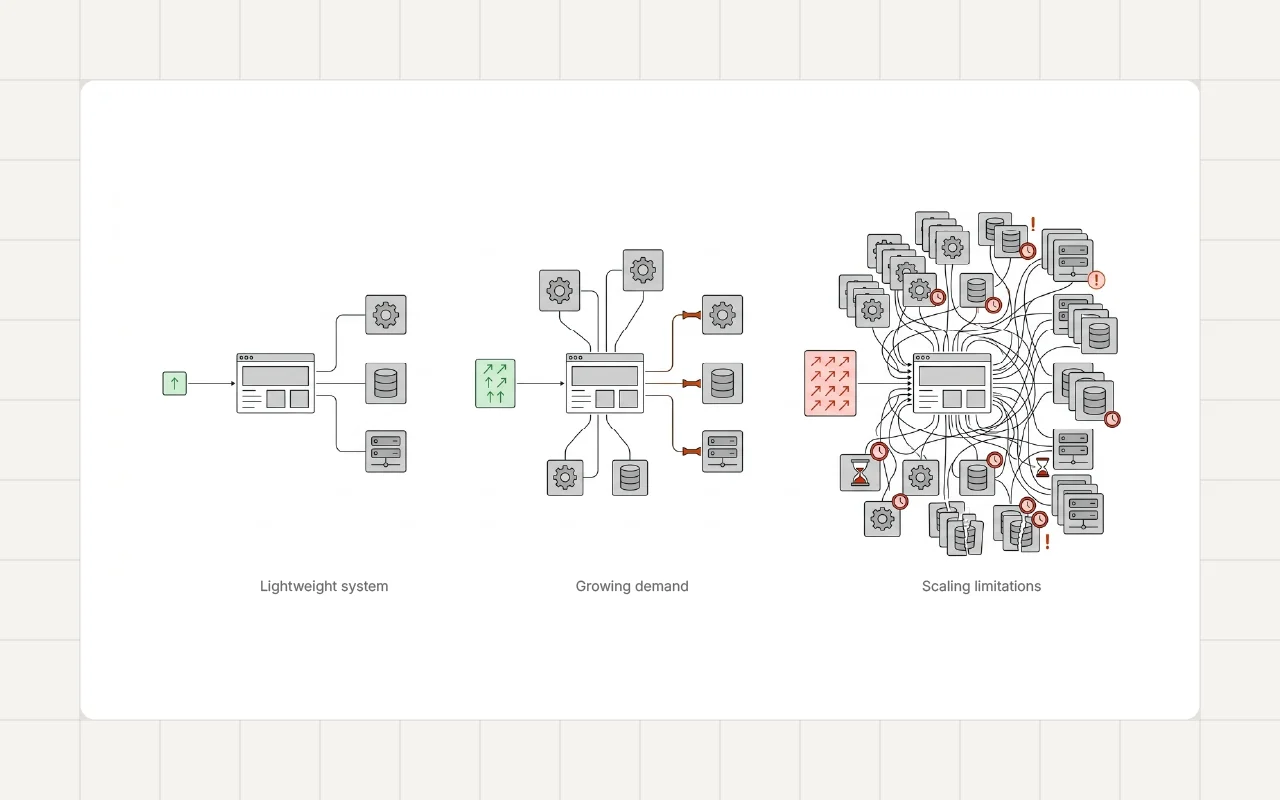
But as the website grows, problems start to appear.
Pages become slower. New features take longer to implement. Maintenance becomes more complicated.
Scaling a website successfully requires more than adding resources or installing performance plugins. It depends largely on how the system was designed from the beginning.
What Scaling Really Means
When people talk about scaling a website, they often think about traffic.
Handling more visitors is one part of scaling.
However, scaling also includes:
- supporting more content
- managing additional features
- maintaining performance as the system grows
- keeping the website easy to maintain
A website that becomes difficult to update or optimize as it grows is often experiencing scalability problems.
Architectural Decisions Matter
Scalability is heavily influenced by architectural decisions made early in development.
For example:
- how plugins are used
- how templates are structured
- how scripts and styles are loaded
- how content is organized
When these decisions are not carefully planned, the system may work well initially but struggle as the website expands.
This long-term structural impact is discussed in Clean WordPress Architecture for Long-Term Maintainability.
Plugin Growth and System Complexity
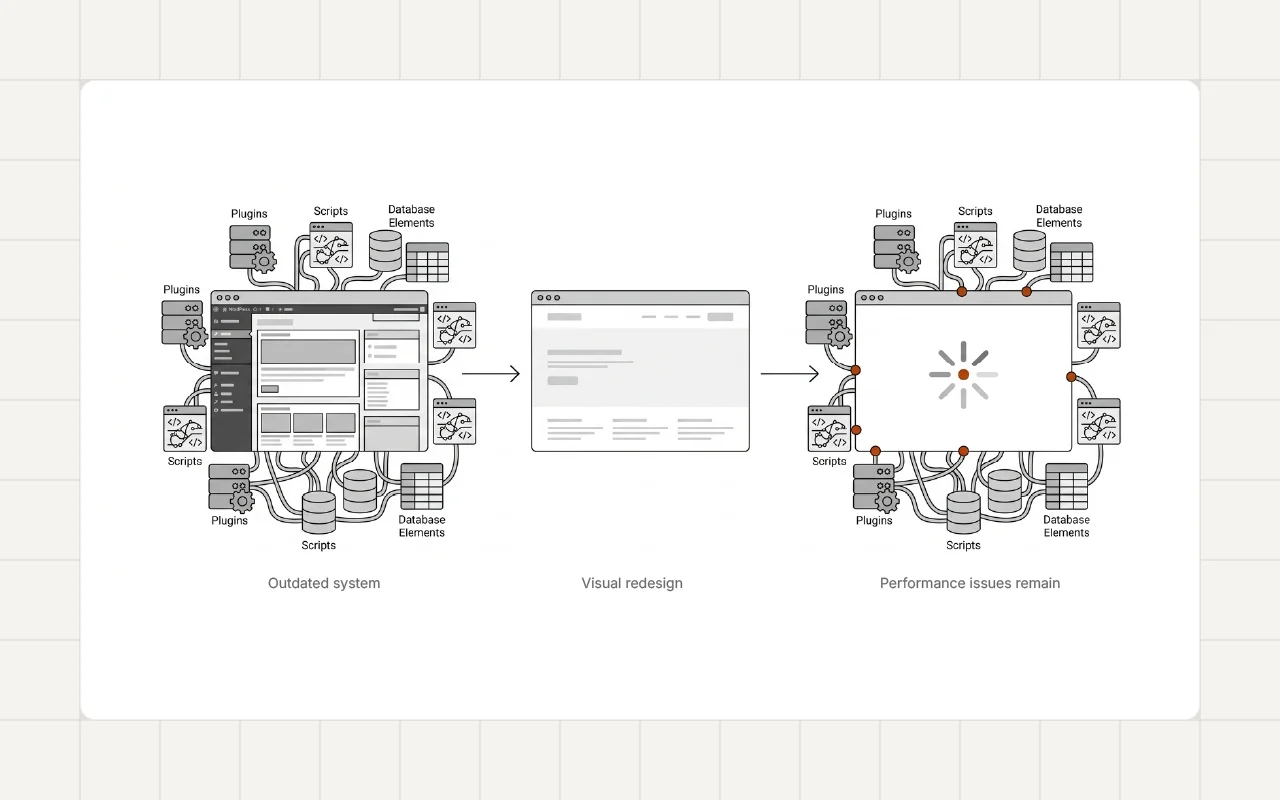
As websites grow, they often accumulate additional plugins to support new functionality.
Examples include:
- membership systems
- marketing tools
- analytics integrations
- builder extensions
Each plugin adds code and interactions within the system.
Over time, plugin accumulation increases complexity and can affect performance and stability.
This pattern is explored further in Why Plugin Bloat Slowly Breaks WordPress Websites.
Performance Challenges at Scale
Performance problems often become more visible as websites grow.
More content and features usually mean:
- more database queries
- larger asset bundles
- additional scripts running on each page
If the system architecture does not control these factors, page load times can increase significantly.
Many websites experience this gradual slowdown, which is explained in Why Most WordPress Websites Become Slow Over Time.
Builder and Layout Complexity
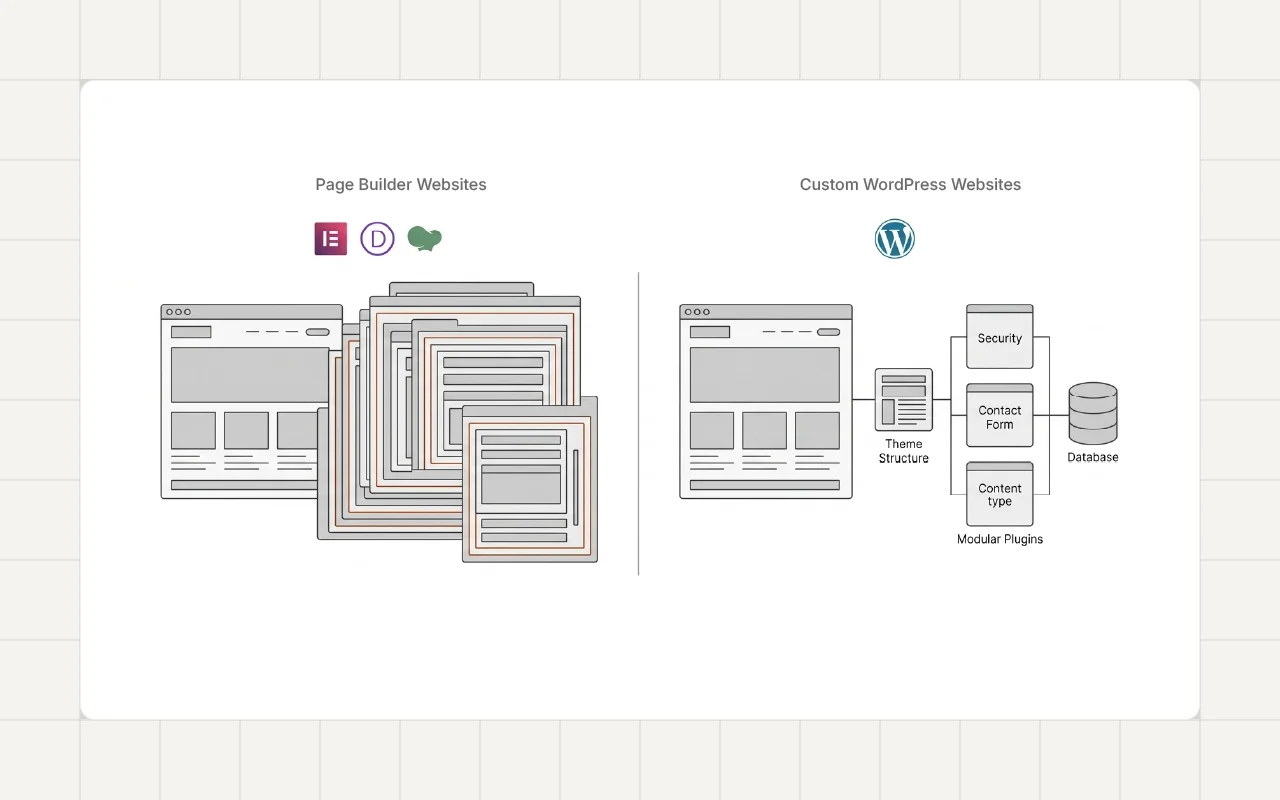
Page builders can simplify early development, but complex layouts may become harder to manage as websites scale.
Large websites may contain:
- many reusable templates
- nested layout structures
- multiple builder extensions
These layers can make large websites more difficult to update and optimize.
These challenges are discussed in The Hidden Maintenance Cost of Page Builders.
Real-World Example
Scalability challenges often appear when websites grow beyond their original scope.
For example, the Custom WordPress Membership Platform for Insurance Agent Collaboration project required a structured architecture to support collaboration features while maintaining stability and performance.
Planning for scalability early helped ensure the system could support additional users and functionality.
A Developer Perspective
Developers often approach scalability by focusing on simplicity and structure.
Scalable WordPress projects usually emphasize:
- clear system architecture
- careful plugin selection
- controlled asset loading
- efficient database usage
These principles help maintain predictable performance as the website evolves.
Practical Ways to Improve Scalability
Several practices help WordPress websites grow more smoothly.
Plan Architecture Early
A clear structure helps prevent complexity from growing too quickly.
Limit Plugin Dependencies
Using fewer, well-chosen plugins reduces system interactions.
Control Asset Loading
Ensuring scripts load only where needed helps maintain performance.
Monitor Growth
Regularly reviewing system performance helps identify scaling issues early.
Long-Term Perspective
Websites often evolve over many years.
A system that works well for a small site may struggle when traffic, content, and functionality increase.
Building with scalability in mind helps prevent major restructuring later.
Conclusion
Many WordPress websites become difficult to scale because early architectural decisions did not consider long-term growth.
Plugin accumulation, layout complexity, and inefficient asset loading can all contribute to scalability challenges.
Planning architecture carefully and maintaining a structured system helps WordPress websites grow more smoothly.
If your WordPress website is growing and starting to experience performance or maintenance challenges, feel free to reach out.